




An older stereo can be remarkably easy to modernise. The important point is to separate three jobs that are often confused.
Your phone or music service chooses the music. A streamer receives it over Wi-Fi. Your amplifier and speakers reproduce it.
The Atonemo Streamplayer handles the middle job. It does not replace an amplifier and it does not power passive speakers. It provides a modern streaming source that connects to an audio input on equipment you already own.
Before ordering, make these five checks.
Identify whether the speakers are active or passive
Active speakers have amplification built in. They usually connect to power and have volume controls or audio inputs on one speaker. Studio monitors and many desktop speakers fall into this category.
Passive speakers receive power from a separate amplifier or receiver. If your speaker cables run to an amplifier, connect the Streamplayer to an input on that amplifier, not directly to the speakers.
This distinction prevents the most common misunderstanding. Streamplayer supplies an audio signal. It is not a power amplifier.
Find an available audio input
Look at the amplifier, receiver, active speaker or soundbar. A compatible input may be labelled AUX, Line In, CD, Tape, RCA, Optical or S/PDIF.
The Streamplayer outputs audio through one combined 3.5 mm port. It can send an analogue signal through a standard 3.5 mm cable or a digital optical signal through mini-Toslink.
The product includes a 3.5 mm AUX cable. If the system has red and white RCA sockets, use a 3.5 mm-to-RCA cable or adapter. DIN, XLR and other analogue inputs can also work with the correct cable, provided they accept a suitable line-level signal.
If you are unsure, photograph the back panel and send it to Atonemo. The support team can help identify the input and cable.
Check your Wi-Fi and preferred music service
Streamplayer uses dual-band Wi-Fi 6 on 2.4 GHz or 5 GHz networks with WPA2 or WPA3 security. The initial setup uses the Atonemo app to connect the player to the network and name it.
For daily listening, you continue using supported services and controls you already know: Spotify Connect, TIDAL Connect, Google Cast or AirPlay 2.
Different services and source material provide different audio quality. The Streamplayer can handle playback up to 24-bit/192 kHz, but the actual result depends on the service, recording, connection choice and the rest of the system.
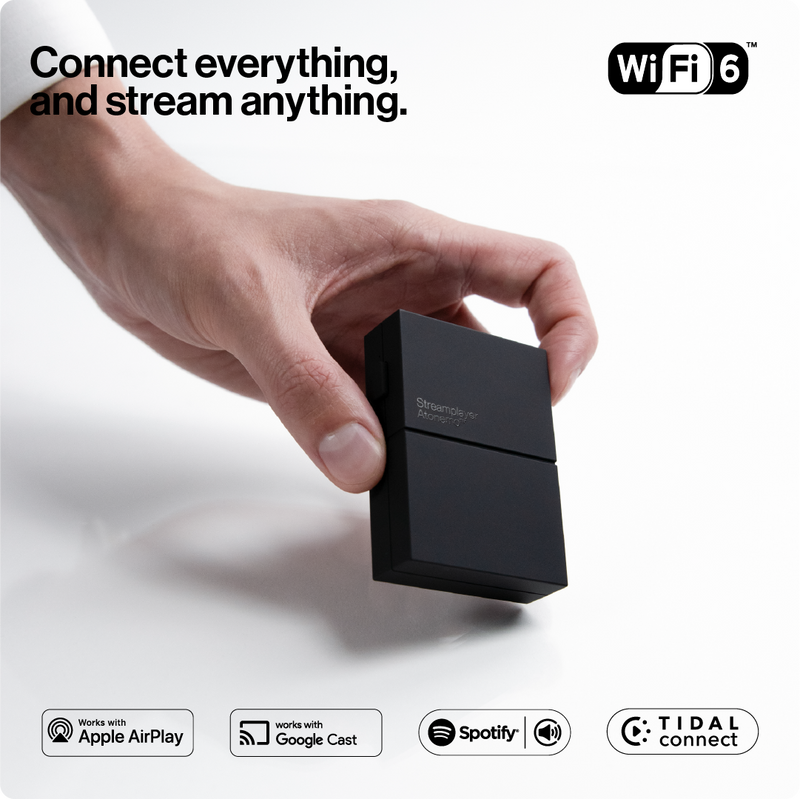
The Streamplayer
€99 · free shipping · 30-day guarantee · 2-year warranty
- 60-second setup
- 24-bit/192 kHz
- Dual-band Wi-Fi 6
- AUX + USB-C cables included
- STEP 1Connect the audio cable to an input on your amplifier or powered speaker.
- STEP 2Connect USB-C power.
- STEP 3Join Wi-Fi through the Atonemo app and press play.
Works with Spotify Connect, TIDAL Connect, Google Cast and AirPlay 2.
Decide between analogue and optical output
Analogue is the simplest choice for many systems. Connect the included AUX cable, or the appropriate RCA adapter, and the Streamplayer’s internal digital-to-analogue conversion supplies the signal.
Optical output is useful when an amplifier or external DAC has a suitable digital input and you prefer that component to handle conversion. Use a mini-Toslink optical cable from the Streamplayer’s combined output.
There is no universal “correct” choice. Use the connection your system supports and the route that makes sense for your equipment.
Confirm the everyday setup
The physical installation is designed to be short:
- Connect Streamplayer to the chosen audio input.
- Supply power through USB-C.
- Open the Atonemo app and connect to Wi-Fi.
The company states that setup takes about 60 seconds. Independent testing supports the broader simplicity claim. Senses reported a smooth installation and stable app. WIRED found the app straightforward and the product easy to integrate, though its reviewer needed a 3.5 mm-to-RCA cable for an older Arcam amplifier.
That cable point is worth checking before delivery. A small amount of preparation makes the “60-second setup” much more realistic for varied vintage systems.
Once installed, the Streamplayer can stay out of sight. Automatic over-the-air updates maintain its software, and the app provides a 10-band equaliser for adjusting the sound to the speakers and room.
At €99, with free shipping, a 30-day satisfaction guarantee and a two-year warranty, it is a low-risk way to find out how often you would use your old system if it were as accessible as a modern wireless speaker.
The Streamplayer
Check the back of your amplifier or powered speaker. If you see a compatible input, you may be about a minute away from streaming through it.
The Streamplayer
€99 · free shipping · 30-day guarantee · 2-year warranty
- 60-second setup
- 24-bit/192 kHz
- Dual-band Wi-Fi 6
- AUX + USB-C cables included
Works with Spotify Connect, TIDAL Connect, Google Cast and AirPlay 2.